Helo,
I use Ubuntu 16.04 LTS for KVM - virtualization.
I want to use folder on host machine in my VM.
I read this article:
https://www.linux-kvm.org/page/9p_virtio
And, then I try to share folder /tmp/share on host for using in WP-cats VM.
But, problems started at the very beginning.
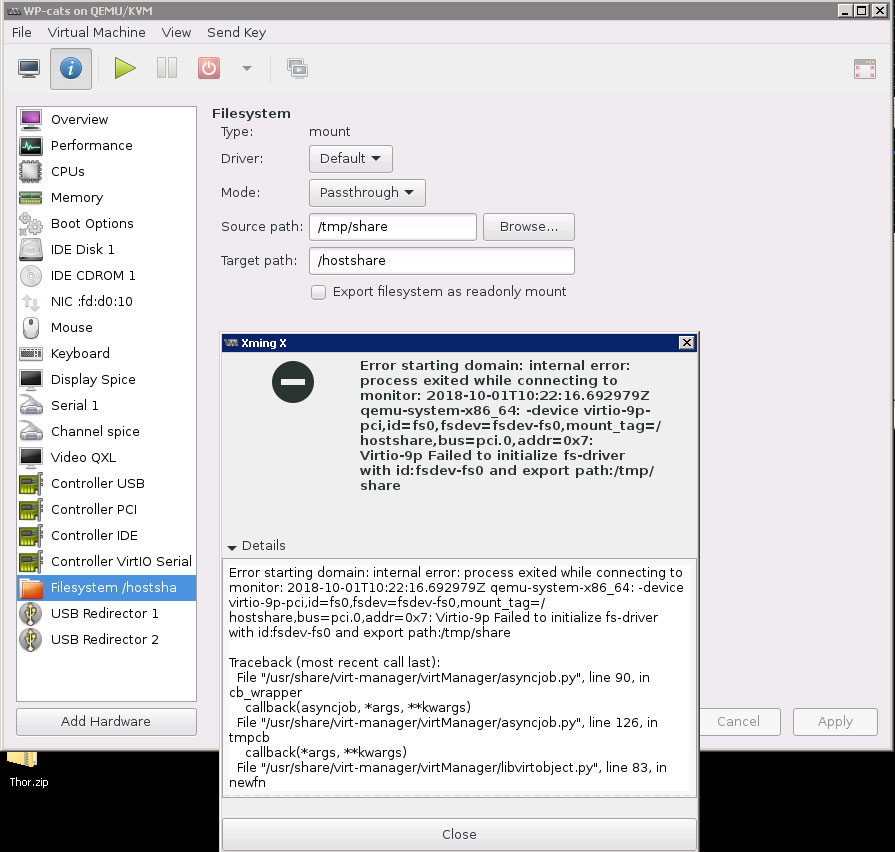
My VM stopped running with next error:
(see Pix on end of message)
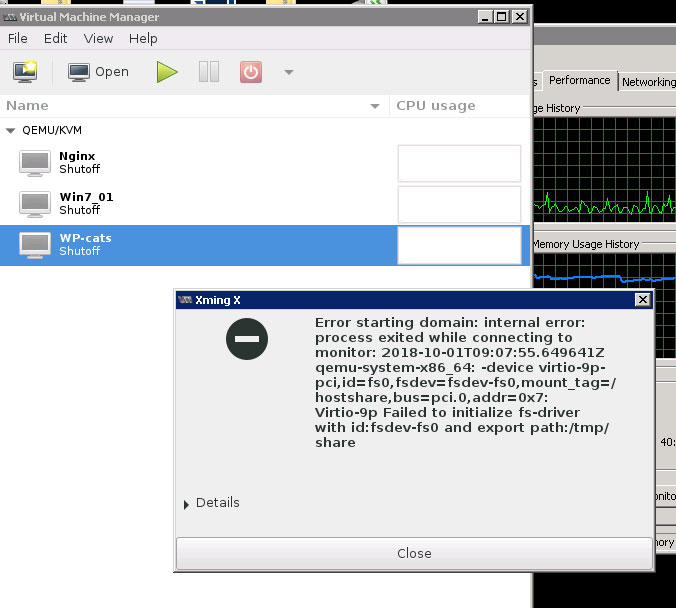
or, little more detail - see next pix on end of message.
I try to googled advice, and check most "popular supposes".
And I want to add next info to my question:
0) I use command
sudo apt-get install linux-image-extra-virtual
for install necessary components on host.
I use command sudo lsmod | grep 9p for check loading the kernel modules, as result:
1) Folder
/tmp/share exist in host FS and user rights maximized:
chmod +777 share
as result
2)In config file of my VM (virsh dumpxml WP-cats) I see next info:
3) May be, I need manually configure "mysterious" fs-driver with id: fsdev-fs0 ?
But, how?
Can you please advise?
thanks in advance.
Konst
Pictures:
![]()
and second:
![]()
I use Ubuntu 16.04 LTS for KVM - virtualization.
I want to use folder on host machine in my VM.
I read this article:
https://www.linux-kvm.org/page/9p_virtio
And, then I try to share folder /tmp/share on host for using in WP-cats VM.
But, problems started at the very beginning.
My VM stopped running with next error:
Code:
Error starting domain:

internal error:

process exited while connecting to monitor: 2018-10-01T12:02:12. 309465Z qemu-system-x86_64:

-device virtio-9p-pci, id=fsO, fsdev=fsdev-fsO, mount_tag=/hostshare,

bus=pci.0, addr= 0x7:

Virtio-9p Failed to initialize fs-driver with id: fsdev-fs0 and export path:/tmp/shareor, little more detail - see next pix on end of message.
I try to googled advice, and check most "popular supposes".
And I want to add next info to my question:
0) I use command
sudo apt-get install linux-image-extra-virtual
for install necessary components on host.
I use command sudo lsmod | grep 9p for check loading the kernel modules, as result:
Code:
9pnet_virtio           20480  0

9p                     57344  0

9pnet                  86016  2 9p,9pnet_virtio

fscache                61440  1 9p
1) Folder
/tmp/share exist in host FS and user rights maximized:
chmod +777 share
as result
Code:
ls -alh

drwxrwxrwx 2 root root 4.0K Oct 1 11:17 share
2)In config file of my VM (virsh dumpxml WP-cats) I see next info:
Code:
<filesystem type='mount' accessmode='passthrough'>

<source dir='/tmp/share'/>

<target dir='/hostshare'/>

<address type='pci' domain='0x0000' bus='0x00' slot='0x07' function='0x0'/>

</filesystem>But, how?
Can you please advise?
thanks in advance.
Konst
Pictures:
and second: